※必ずご確認ください※
※必ずご確認ください※

位置情報取得方法
位置情報取得方法
-
STEP1
ご来場前に、お使いの携帯のGPS機能がオンになっているかチェックしてください。
GPS機能をオンにする方法はこちら
STEP2
会場から約500m圏内で特設サイト内の【チェックインはこちら】ボタンをタップしてください。
STEP3
GPS認証に成功すると「次へ」ボタンが出現し、CHECK-IN POINTにご参加いただけます。
-
GPS (location notification) function
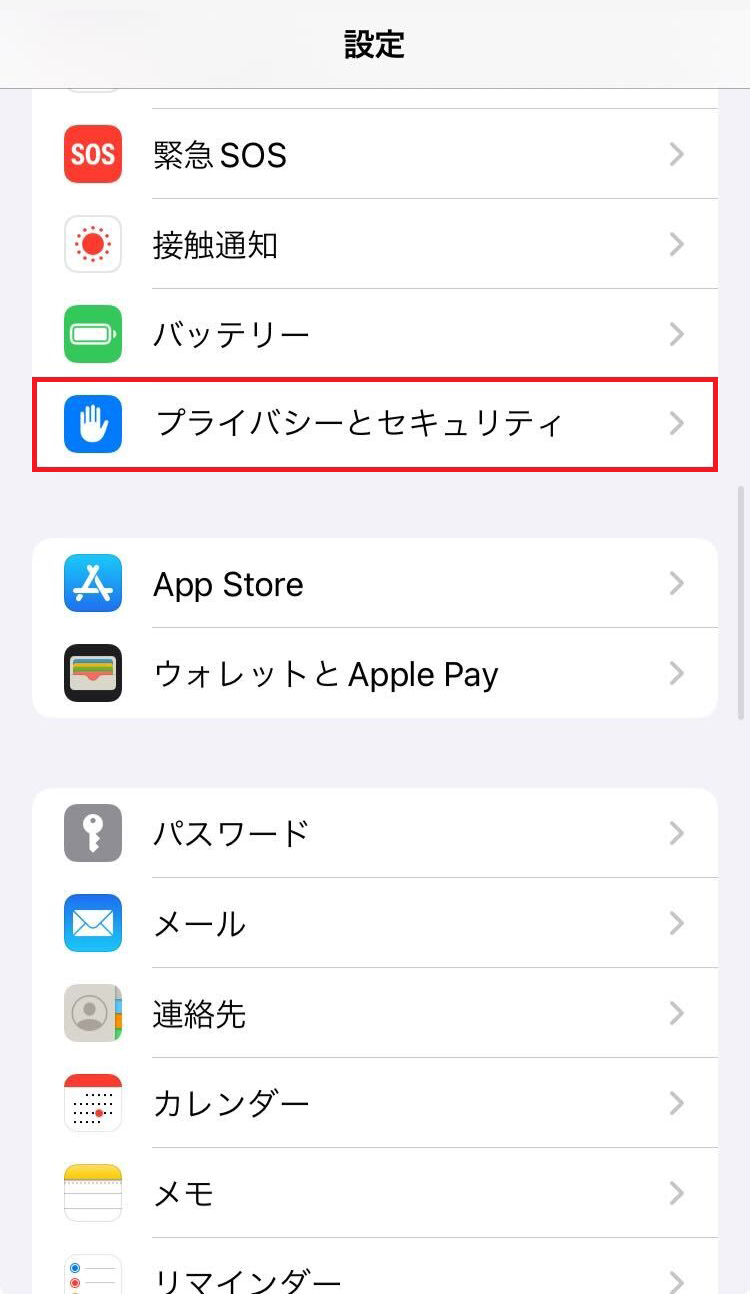
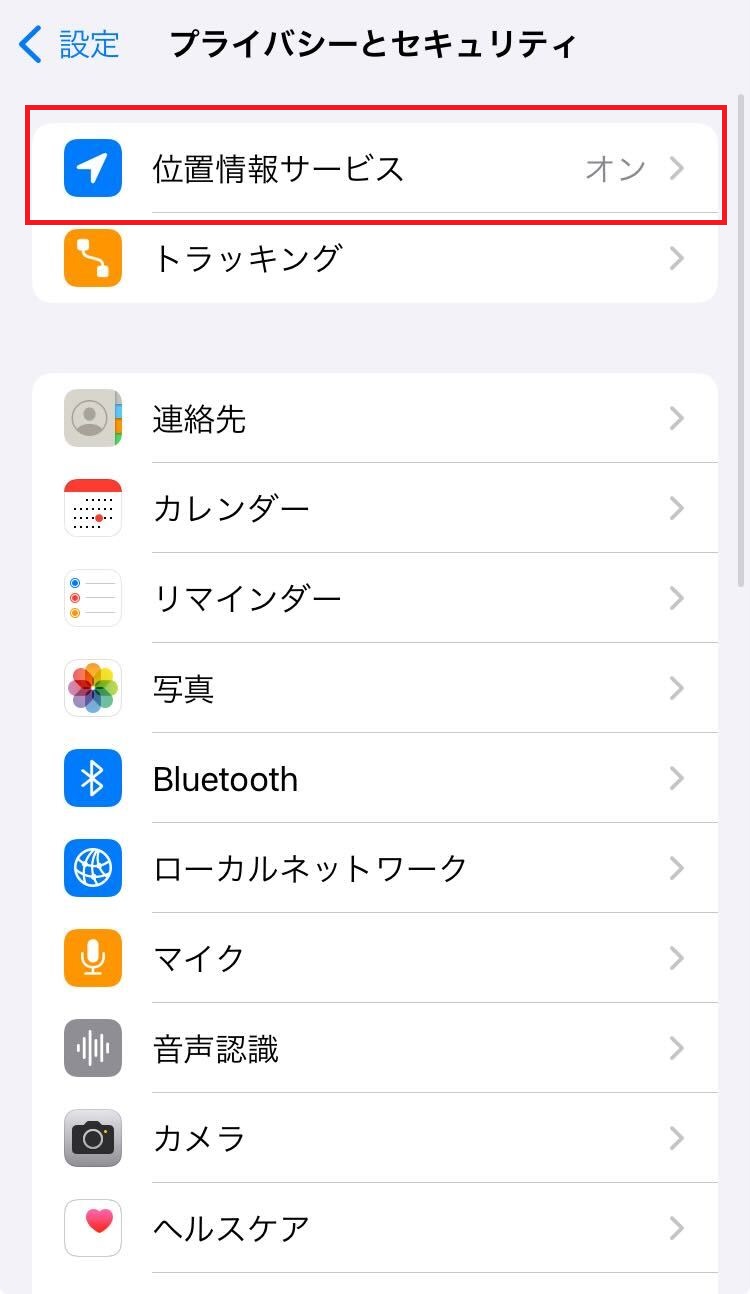
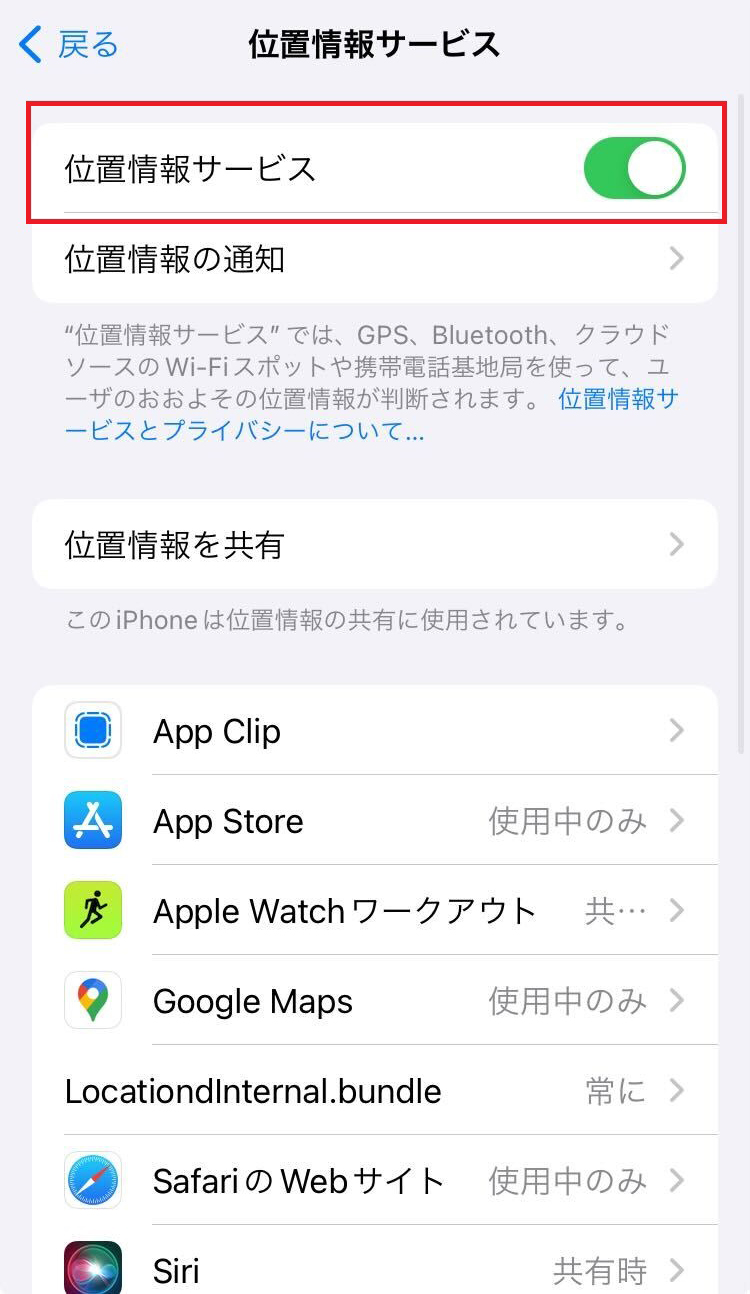
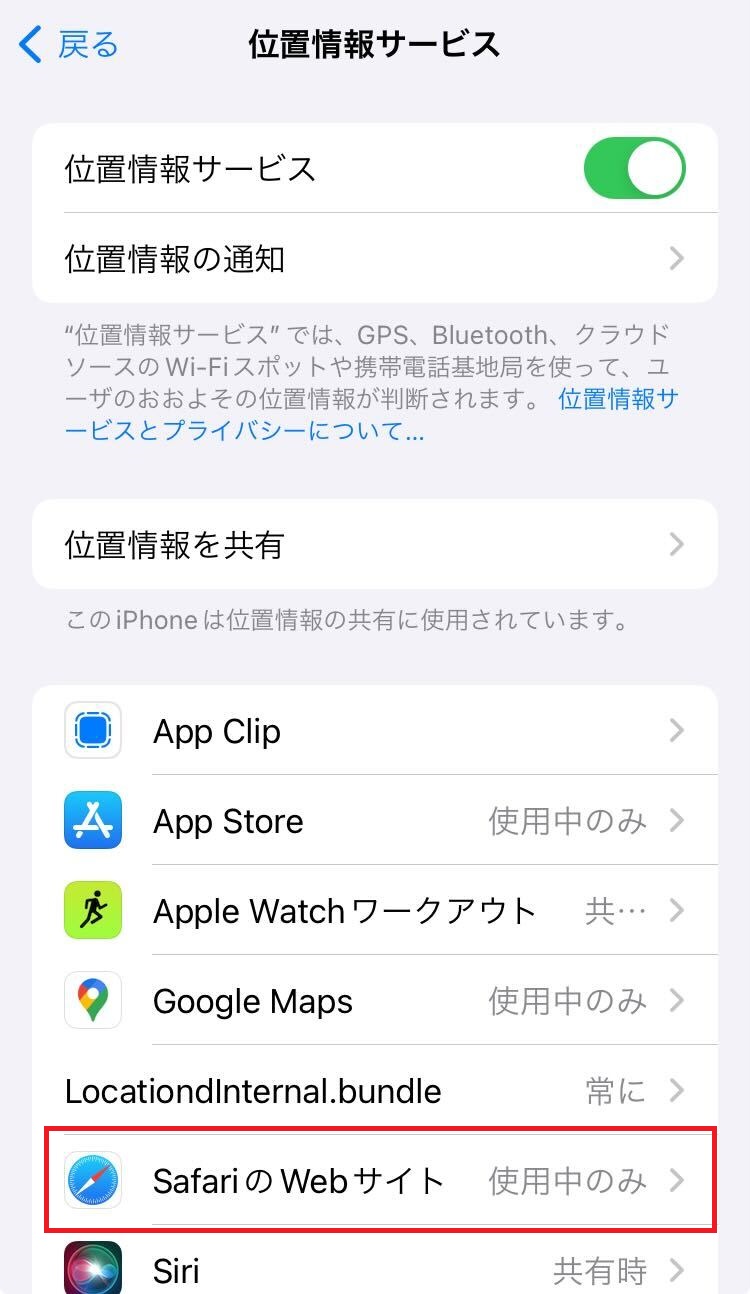
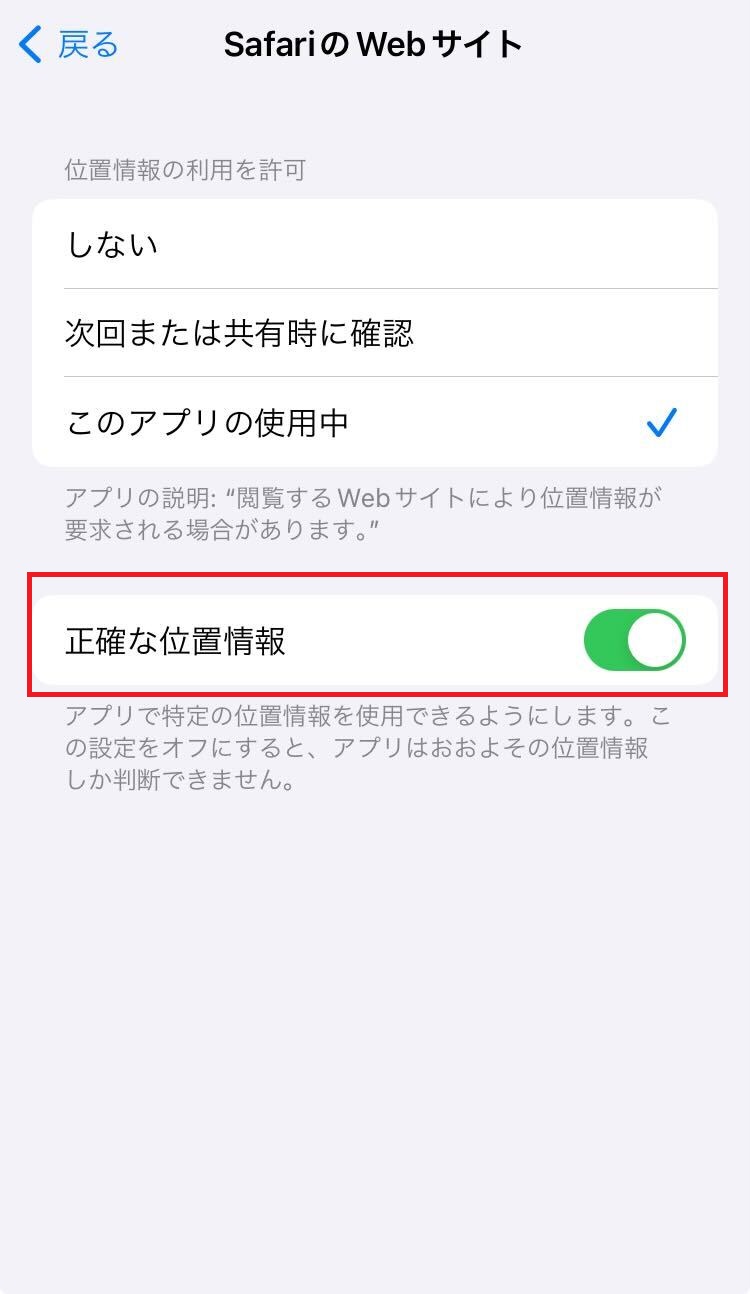
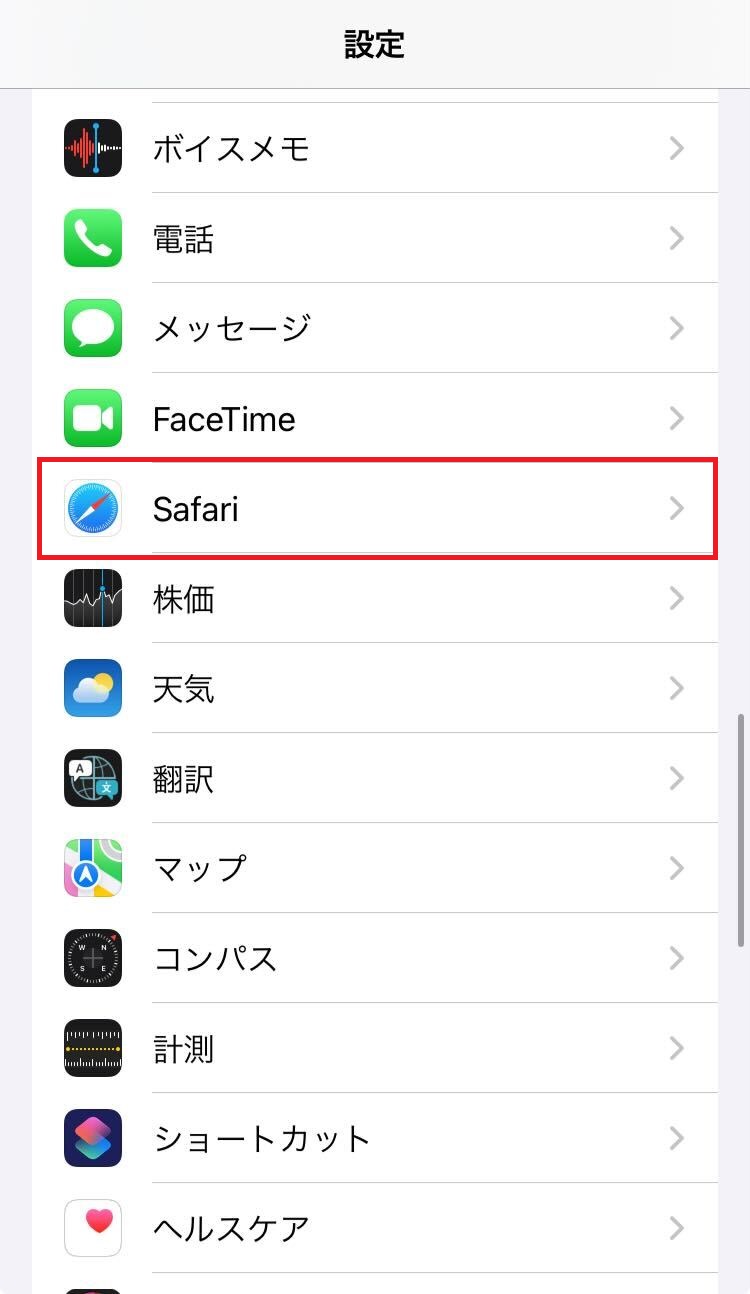
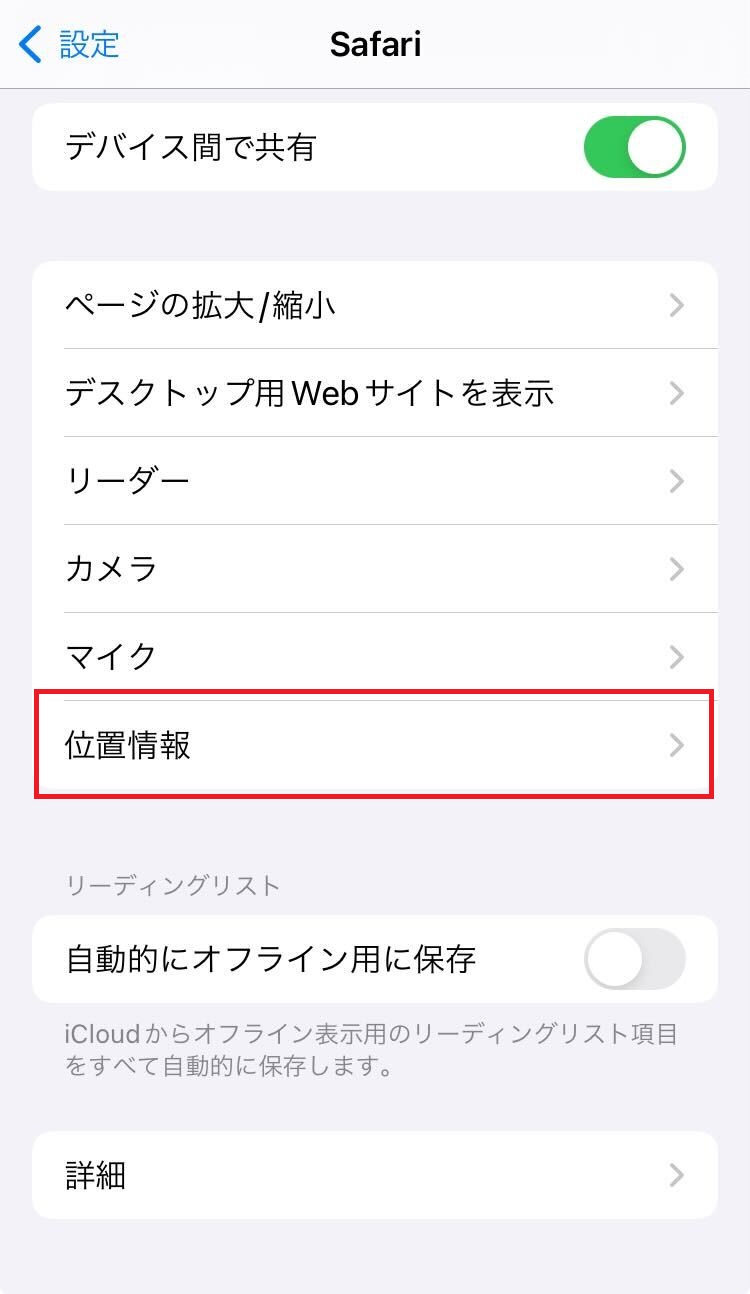
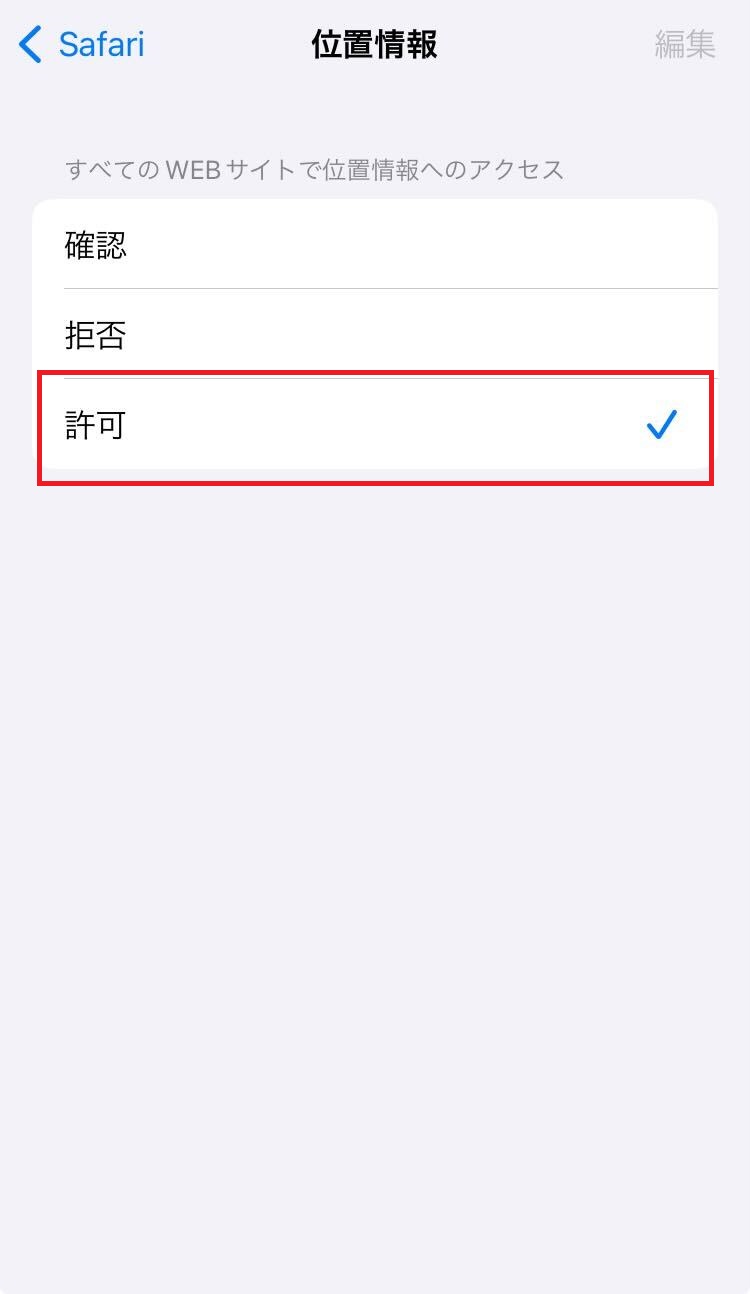
How to turn it oniPhoneの方
Step 1
*Swipe the screen to the right- *If the [Safari/Google Chrome] icon does not appear in [Location Services], a message will appear on your browser asking "Do you want to allow location access while using Safari?" Please select "Allow."
Step 2
*Swipe the screen to the right -
Androidの方
Step 1
- 1. Go to [Settings] → [Location and Security]
- 2. Check the box for [Enable GPS function] to [On]
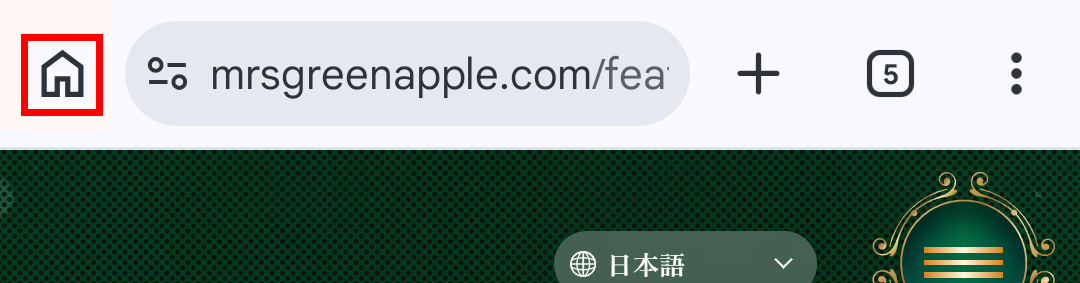
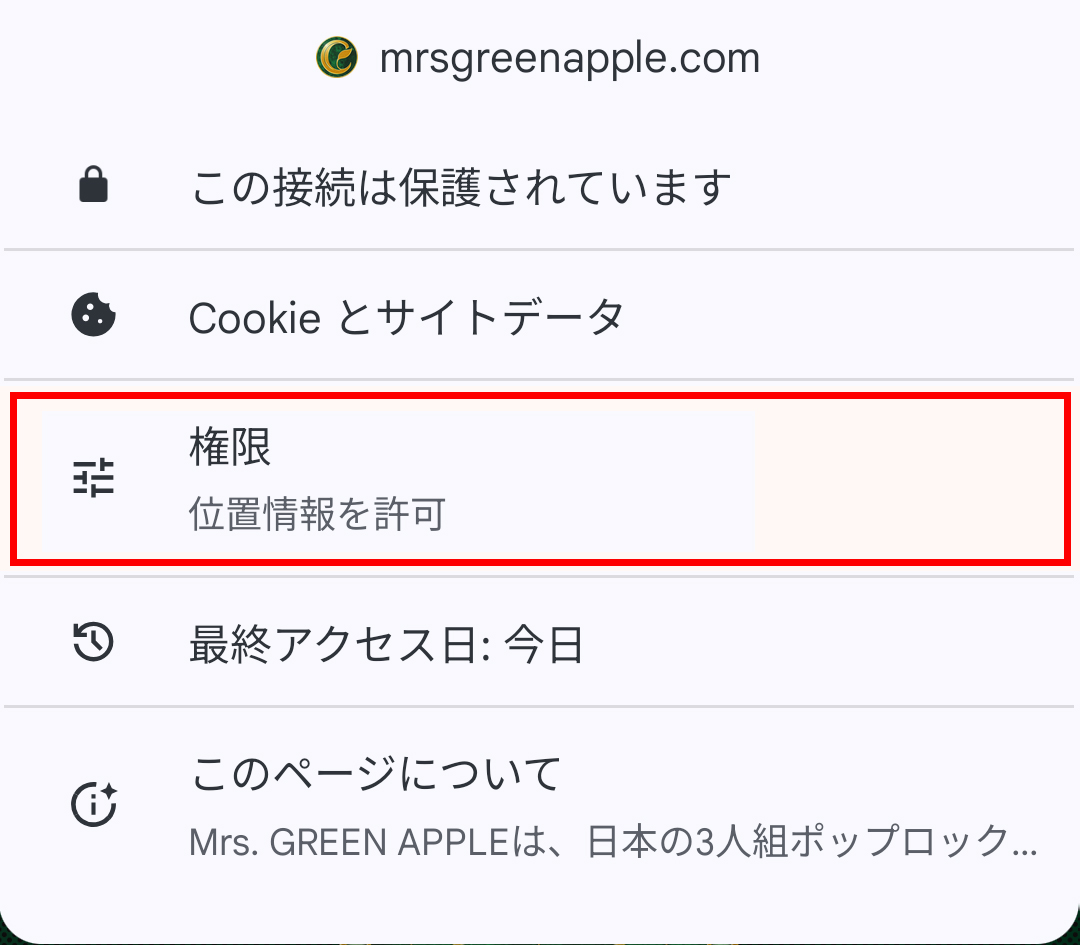
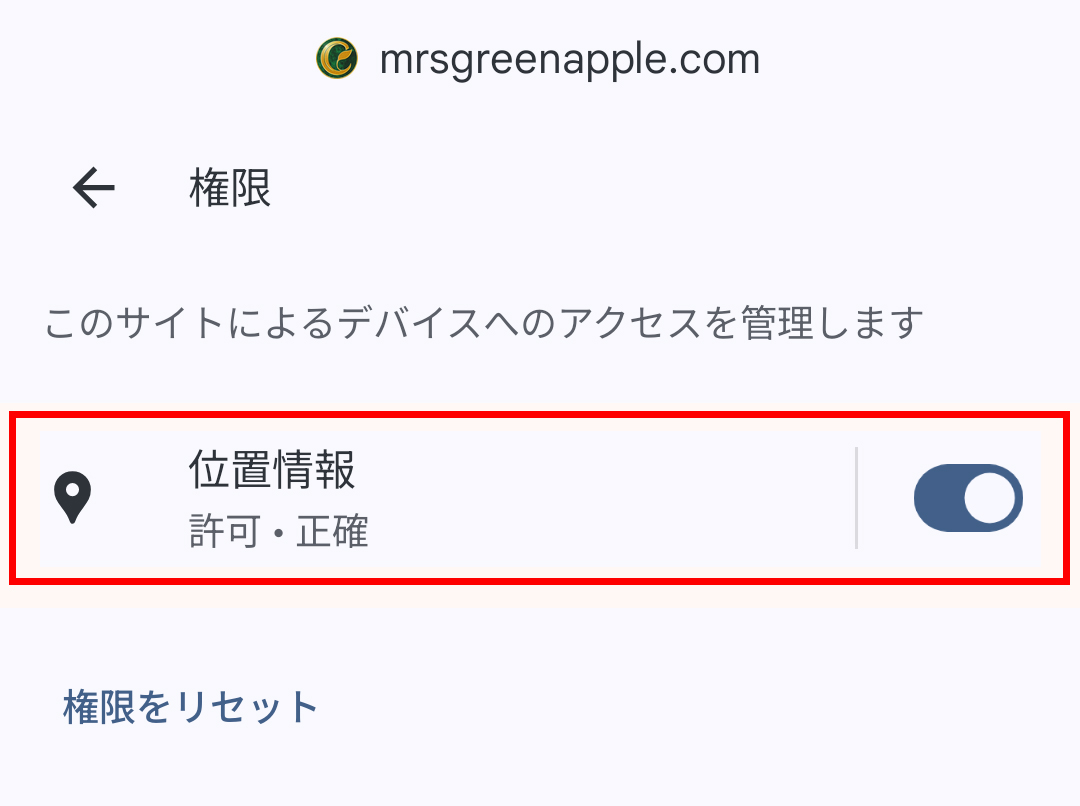
- 3. Open your browser and press MENU → [Settings]
- 4. [Privacy and Security] → Check the box for [Enable location information] to [ON]. For Android devices, be sure to access the "Settings" screen and turn on GPS. There are many cases where the settings are not completed on the browser alone.
- *Item names and procedures may vary depending on the device.
- ※QRコードリーダーのアプリを使って読み取る方は、かならずchromeにしてCHECK-IN POINTにご参加ください。。
- ※「セキュリティとプライバシー」では位置情報ONになっているのに位置情報の取得ができない方は、【設定>使ってるアプリ>位置情報>許可、アプリ使用中のみ】になっているか確認してください。
Step 2
-
-
CHECK-IN POINT参加に関する注意事項
- This offer is available to Mrs. GREEN APPLE OFFICIAL FAN CLUB "Ringo Jam" members (annual and monthly memberships). (You can also participate by registering on the day of the performance.)
- Please make sure that your GPS (location notification) function is turned on before participating.
- CHECK-IN POINTの実施期間はこちらからご確認ください。
- CHECK-IN POINTは、会場から約500m圏内でのみ実施が可能です。(一度位置情報の取得が完了していても、範囲圏内から離れてしまうとページ操作ができなくなります。)
- 公演当日は大変な混雑が予想されるため、会場の電波が不安定になる可能性があります。時間に余裕をもってご参加いただけますようご協力のほどよろしくお願いいたします。
- If the winning screen cannot be displayed due to signal strength, you may be asked to present your membership card and identification, so please have these ready in advance.
-
Regarding use from Android smartphones
- When using Google Chrome from an Android smartphone, you may not be able to use the site properly on some devices. Please try the following.
・Update Google Chrome (to the latest version)
・Access using a browser other than Google Chrome, such as Firefox - If you still get an error after trying the above two steps, please come to the FC booth.
- In addition, in-app browsers (Yahoo JAPAN app/Google app, etc.) and "Samsung Browser" are not guaranteed to work.
- When using Google Chrome from an Android smartphone, you may not be able to use the site properly on some devices. Please try the following.
-
FAQ
「GPS範囲外です。該当地域に近づいてください」と表示されます
GPS範囲外からアクセスしている場合、この表示が出ます。会場から約500m圏内で再度お試しください。
"Location information could not be obtained" is displayed.
If you access the site with the GPS function turned off, this message will appear. Please try again after making sure that the GPS function is turned on.
位置情報をオンにしているはずなのに位置情報の取得ができません
- 1. [If location information is enabled only in the browser]
In addition to checking the location settings on your browser, please check that the GPS function is turned on in your device's settings screen. - 2.【端末の設定もオンになっているのに位置情報の取得ができない場合】
ご使用のブラウザが未対応の可能性があります。他のブラウザで再度お試しください。 - 3.【上記の方法を試しても位置情報の取得ができない場合】
ご使用の端末のソフトウェアが最新ではないとき、正常に位置情報の取得ができない場合があります。端末の設定画面より、ソフトウェア・OSを更新の上、再度お試しください。
- 1. [If location information is enabled only in the browser]
-