SPECIAL
On-site Activities
Online Campaign
-
"Ringo Jam" Member-ExclusiveSpeed JAM’S Lottery
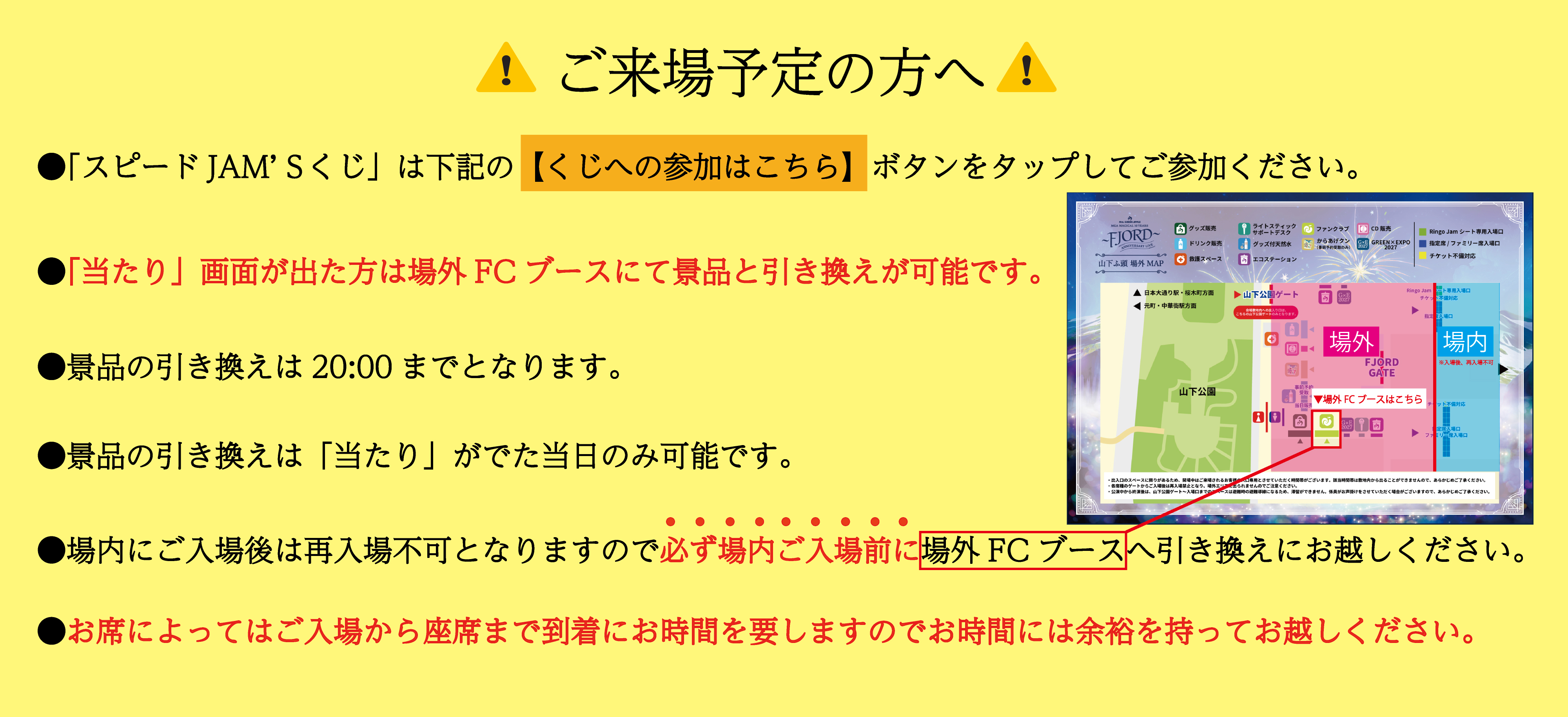
The "Speed JAM’S raffle" will be held exclusively at the venue to win gorgeous prizes!
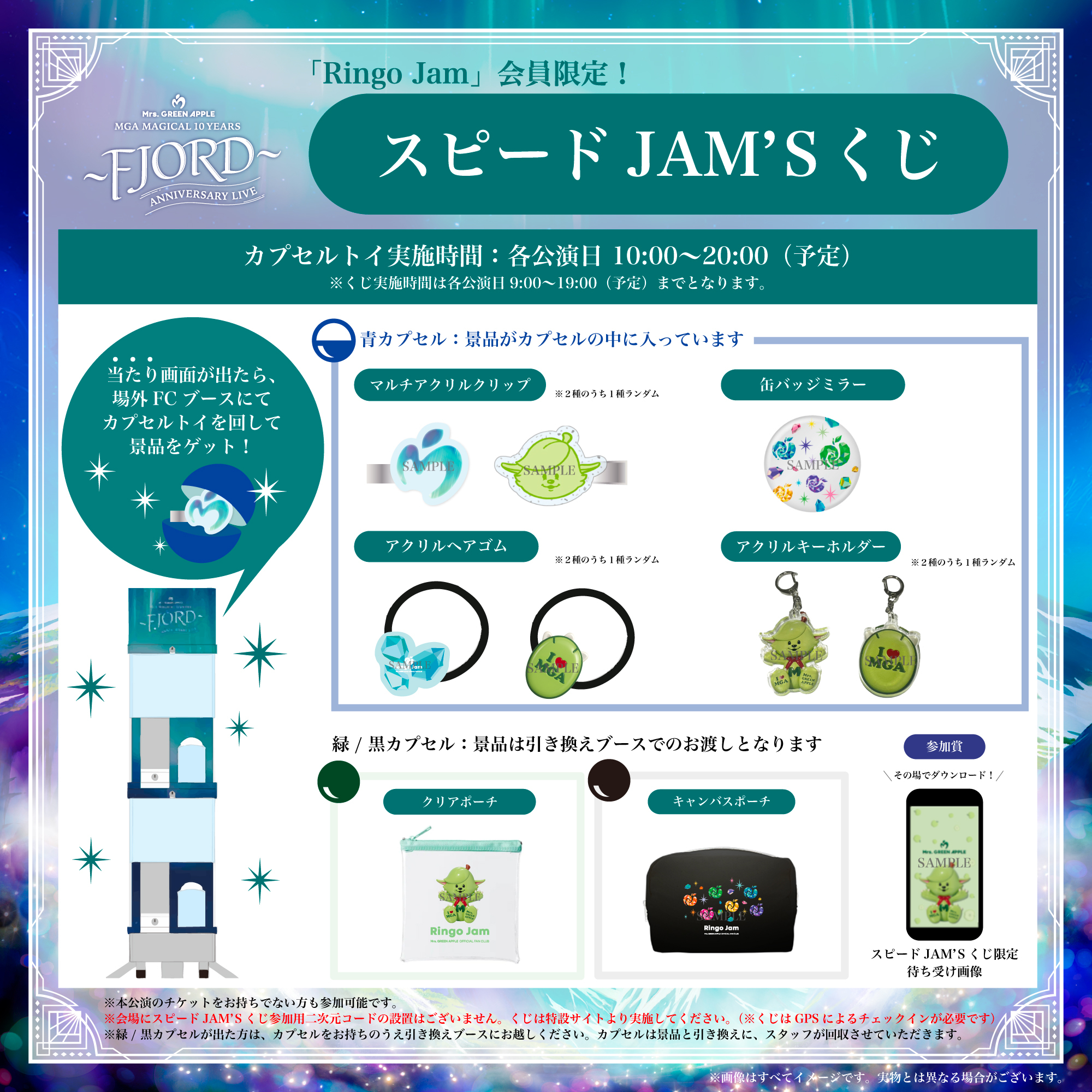
Winners of the Speed JAM’S raffle will be able to participate in a capsule toy at the FC booth outside the venue on the day of the performance!
- * Any Ringo Jam members who are in the vicinity of the venue can participate via this special website.
Speed JAM’S Requests to those participating in the raffle
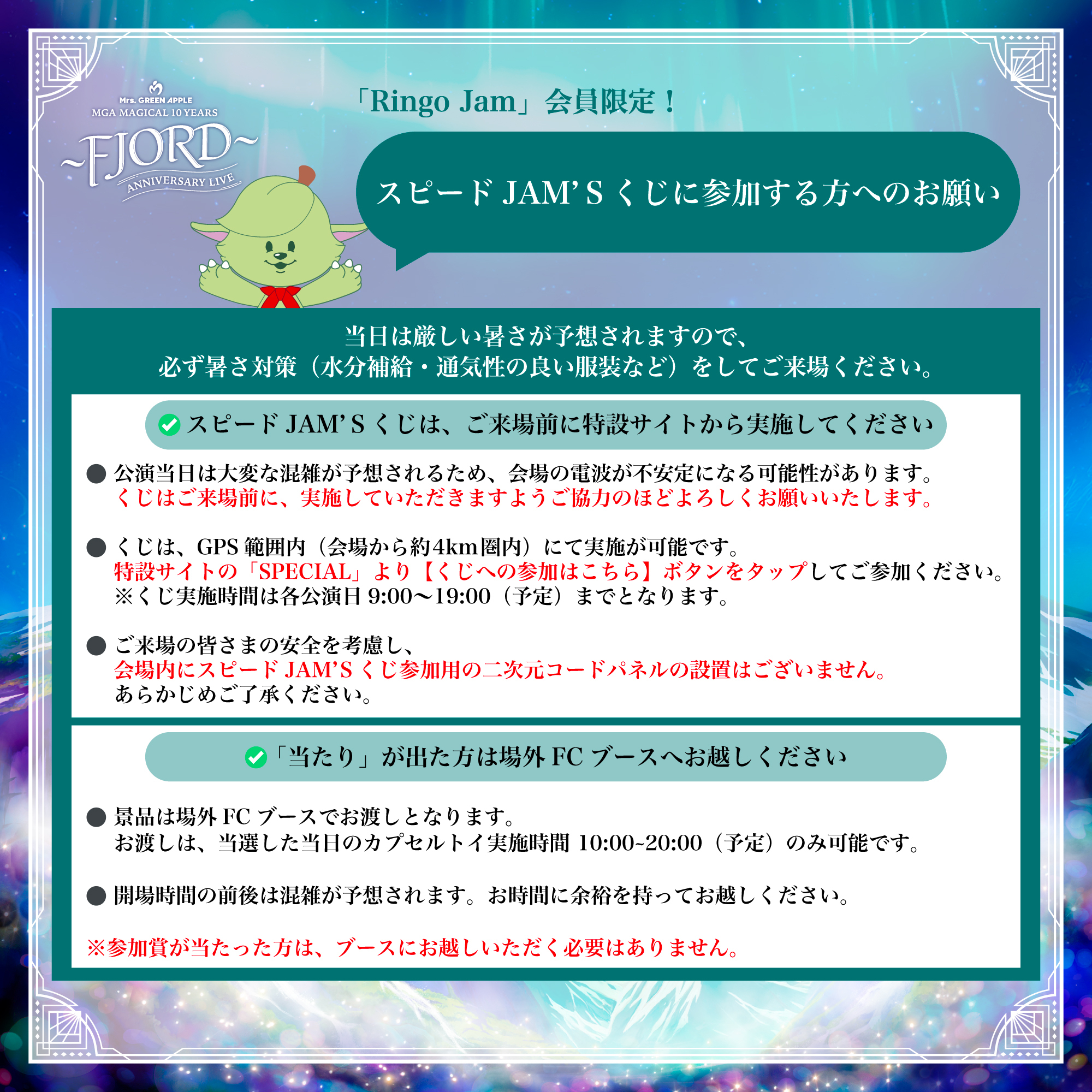
- ・ Severely hot weather is expected on the day of the performance, so please be sure to take measures to protect yourself from the heat (stay hydrated, wear breathable clothing, etc.).
-
・ On the day of the performance, the reception at the venue may be unstable due to high volume.
We ask for your cooperation in holding the lottery before you come to the venue. -
・ The lottery can be held within GPS range (within approximately 4km of the venue).
Please tap the button below to participate in the lottery. - For the safety of all visitors, there will be no 2D code panel for the Speed JAM’S raffle at the venue. The Speed JAM’S raffle can be entered only from this page. Please understand this in advance.
The lottery has ended
GPS function
Here's how to turn it on
Eligibility
All attending Ringo Jam members (Annual / Monthly membership plans)- *Participation is available even without a ticket for this performance.
Speed JAM’S Lottery hours
July 26th (Sat) 9:00-19:00 (scheduled)
July 27th (Sun) 9:00-19:00 (scheduled)
Capsule toy implementation / prize collection time
July 26th (Sat) 10:00-20:00 (scheduled)
July 27th (Sun) 10:00-20:00 (scheduled)
How to Participate
-
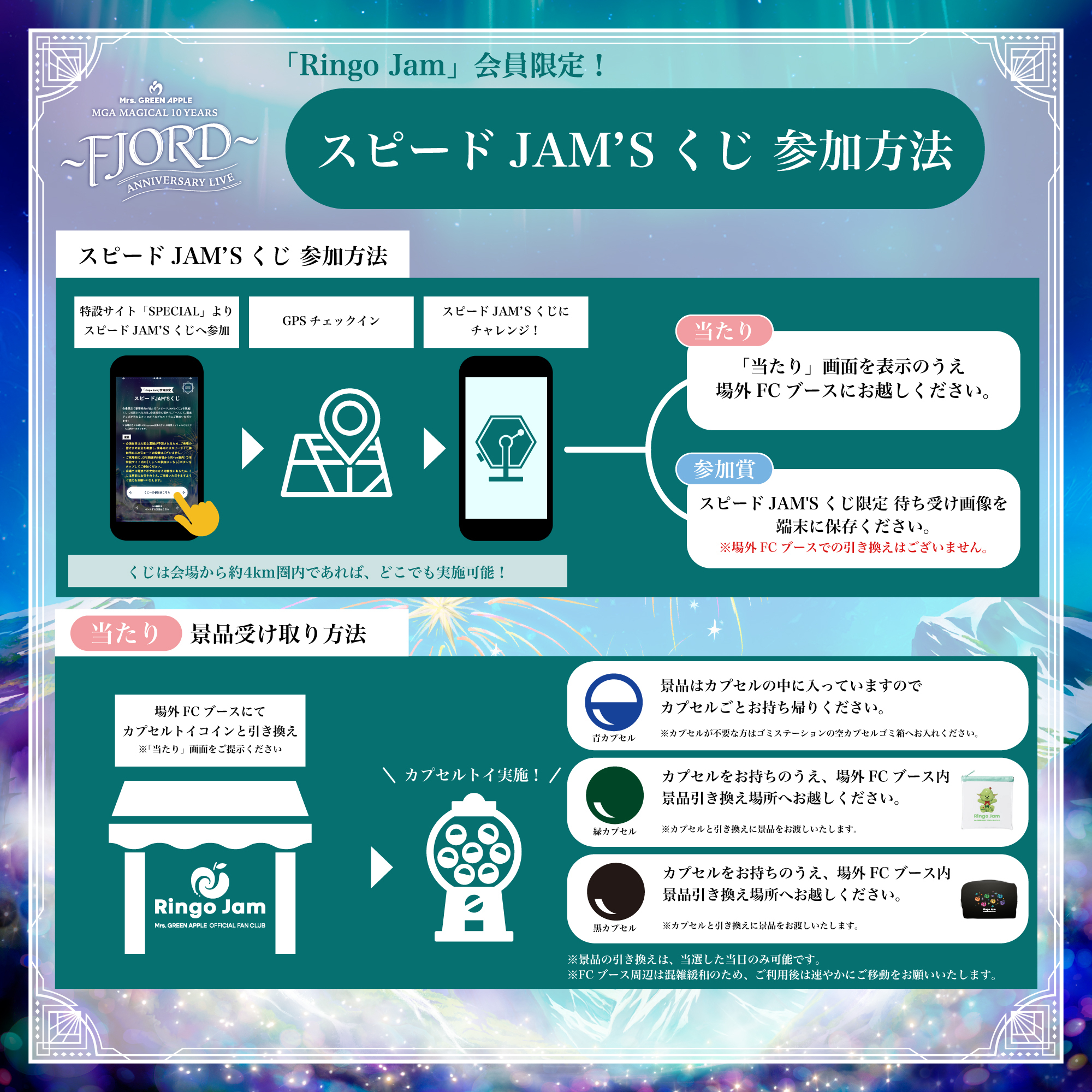
1. Please tap the [Click here to enter the lottery] button above to participate in the speed JAM’S lottery during the implementation period.
-
* Please make sure that the GPS function of your device is turned on.
How to turn on the GPS function
-
* Please make sure that the GPS function of your device is turned on.
-
2. After a successful GPS check-in, the "Draw Lottery" button will be displayed. Tap the appropriate button. The winning screen or participation prize screen will be displayed.
-
* The lottery can be held within GPS range (within approximately 4km of the venue).
You can also participate in the event near the venue and around any station on the Minatomirai Line between Yokohama Station and Motomachi-Chukagai Station.
-
* The lottery can be held within GPS range (within approximately 4km of the venue).
<When the winning screen appears>
After displaying the winning screen, please come to the FC booth outside the venue. After exchanging your coin at the booth, you can participate in the capsule toy.
- * If you get a blue capsule, the prize is inside the capsule, so please take the capsule home with you.
-
* If you get a green/black capsule, please collect your prize at the redemption booth.
Staff will collect the capsules in exchange for prizes.
<If you see the prize screen, please click the following button.
Speed JAM’S Please save the raffle limited standby image to your device.
- * There will be no exchange at the FC booth outside the venue.
- *Please save the Speed JAM’S raffle limited standby image of the participation prize by the end of the day.
- * If you are unable to check in even after trying the steps to turn on the GPS function, please speak to a member of staff at the FC booth outside the venue.
- *To reduce crowd around the booth, please move away promptly after use.
- * If you don't need the capsules, please place them in the empty capsule trash can at the garbage station.
Prize Redemption Location
Outside the stadium FC booth
Important Notes
- *Speed JAM’S raffle is limited to the Yamashita Pier special site, so only those who come near the site can participate.
- *Speed JAM’S raffle is limited to one entry per person per performance date.
- *There will be no 2D code panel at the venue for the speed JAM’S raffle for this performance. Please confirm the time of the raffle, and then enter the raffle from this special site.
- * The booth may be temporarily closed depending on the level of congestion. Please arrive early to receive your gift.
- * If the winning screen cannot be displayed due to signal strength, you may be asked to present your membership card and identification, so please have them ready in advance.
- * Screenshots of the winning screen cannot be used to exchange.
- *If you accidentally press the prize redemption button yourself, your winnings may be invalidated.
- * Prizes can only be exchanged on the day you win. Please come to the FC booth outside the venue during the exchange reception time on the day of the performance. Even if you forget to exchange your prize, we cannot give it to you at a later date. Please be aware of this in advance.
- * If the prize is defective, we will accept returns or exchanges at the FC booth outside the venue.
- *The venue is expected to be very crowded. Please note that prize verification and handover may take time.
- *All prizes are non-resale items. Resale or listing on auction or flea market apps is strictly prohibited.
-
Lawson × FJORD
Lawson will open a store at the MGA MAGICAL 10 YEARS ANNIVERSARY LIVE ~FJORD~ concert venue!
campaign
Pre-orders for original products exclusive to the venue can be made in advance at Loppi in Lawson stores!
Learn more -
AR PHOTO FRAME
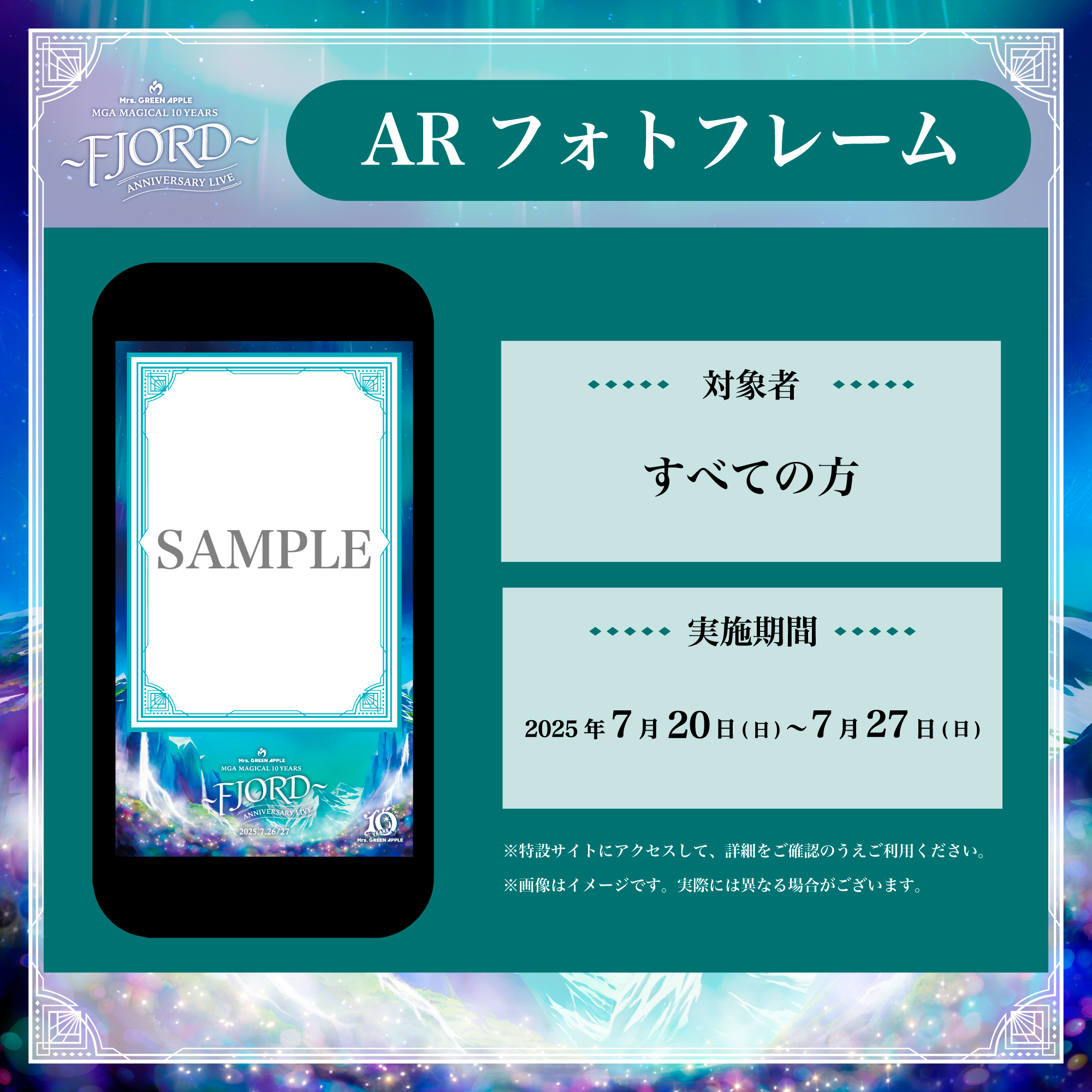
An original frame inspired by "MGA MAGICAL 10 YEARS ANNIVERSARY LIVE ~FJORD~" is now available as AR content!
During this period, you can play online from anywhere.
Enjoy taking commemorative photos of "MGA MAGICAL 10 YEARS ANNIVERSARY LIVE ~FJORD~" using the original AR frame.
If you take any photos, please share them on social media with the hashtag #MGA_FJORD!
AR has ended
Eligibility
Everyone
Implementation area
You can enjoy AR from anywhere.
Please use AR from [Click here] on this special website.
Implementation period
July 20th (Sun) - July 27th (Sun)
How to Use
- 1. Tap [AR here] above and allow camera access.
- 2. Once your content is displayed, adjust it to your preferred size.
-
3. Tap the ◯ button at the bottom of the camera screen to take a photo.
- * You can also post to X using the button on the top left.
AR Operation Guide
Important Notes
- * Please use Google Chrome for Android devices and Safari for iOS devices.
- * Please allow access to the camera on your smartphone device.
- * Please make sure that your device's OS, browser, and settings meet the [recommended environment] listed on the guide page beforehand.
- * Depending on the time of day, access may be concentrated and it may be difficult to connect to the AR camera screen, so please allow yourself plenty of time to access the site. If you have difficulty connecting, please try again after a while.
- * Please note that we cannot be held responsible for any accidents, injuries or damages that occur during the participation of this event.
- * Please refrain from operating the device in a place that may cause inconvenience to other customers.
- * Please refrain from operating your smartphone while walking or while moving in a car or motorcycle as it is extremely dangerous. When operating the screen, please be aware of your surroundings and stop in a safe place before doing so.
- * This project may be changed or canceled without notice.
- * Please note that even if you have the recommended environment, you may not be able to access the site depending on the device you are using.
- * If you have any questions about the device you are using, please contact your telecommunications company.
-
"Ringo Jam" Members Only ONLINE
Get points for "Ringo Jam Club"!
CHECK-IN POINT
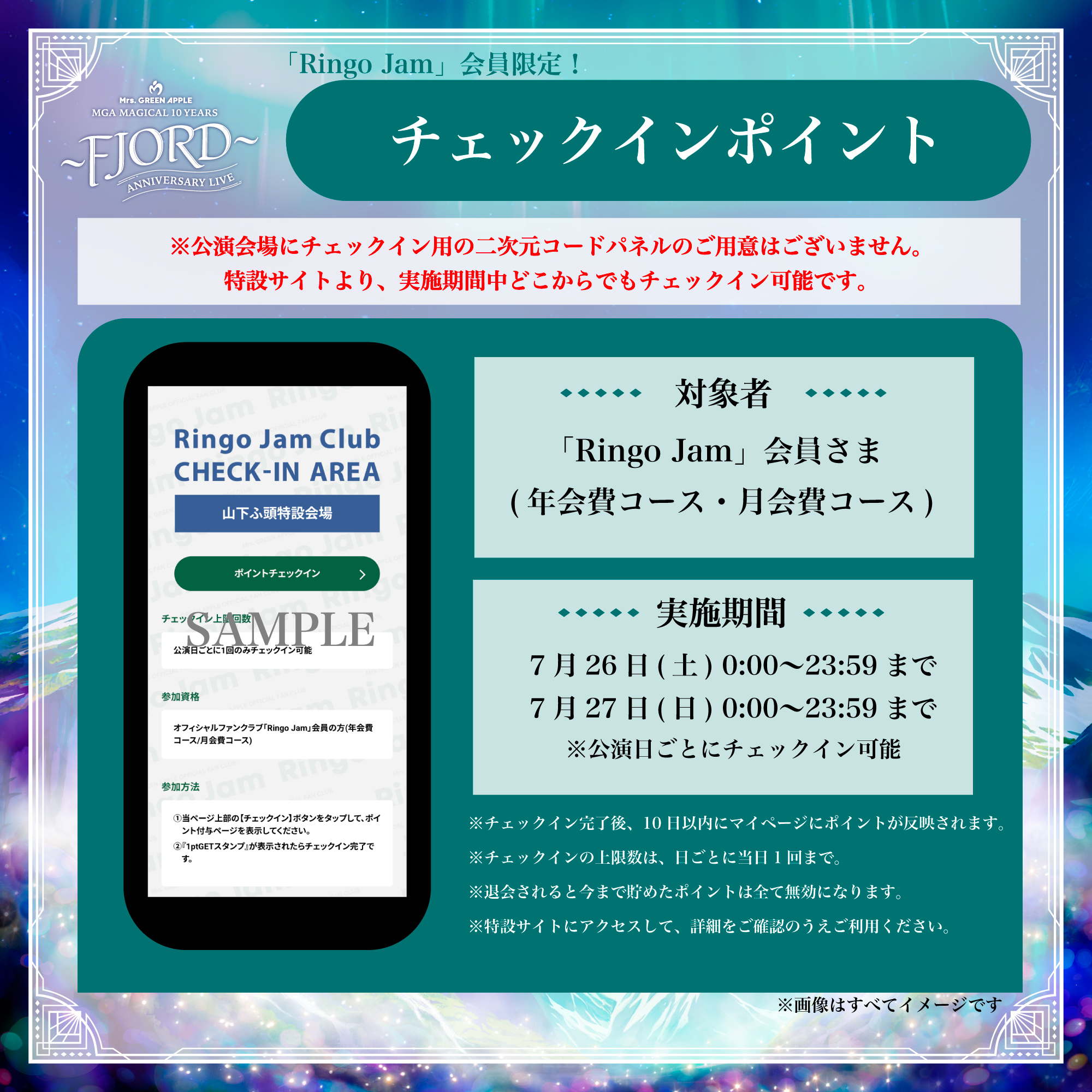
You can get 1 point for each performance on July 26th (Sat) and 27th (Sun)!
Please join us by clicking the "Check in here" button on this special website.- * Please note that there will be no 2D code panels at the venue.
Saturday, July 26th
Check-in has ended
July 27th (Sunday)
Check-in has ended
Eligibility
"Ringo Jam" members (Annual / Monthly membership plans)
Implementation period
July 26th (Sat) 00:00-23:59
July 27th (Sun) 00:00-23:59- * Check-in is possible for each performance day.
How to Use
- 1. Tap [Check in here] above to display the points allocation page.
- 2.When the “1 PT GET” stamp appears, your check-in is complete.
Important Notes
- *Points will be reflected on your My Page within 10 days after check-in is completed.
- * The maximum number of check-ins is one per day.
- * If you cancel your membership, all points you have accumulated will be invalidated.